
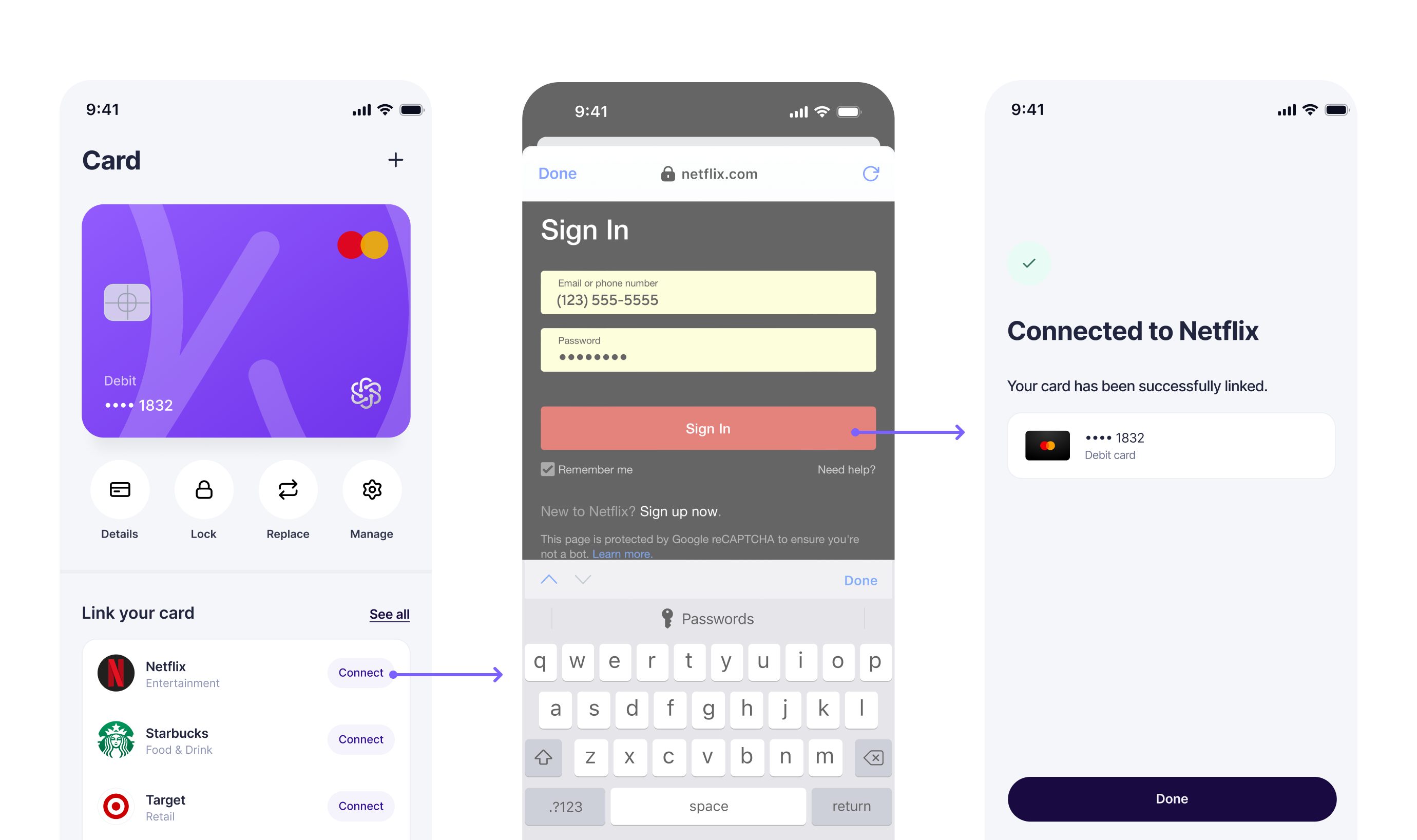
Single Switch
Single Switch is a good fit when your product has already narrowed the path for the user, for example when your integration determines the merchant and payment method before launch based on the user’s context, your product experience, or business rules. Instead of asking the user to search for and select a merchant inside the SDK, Single Switch sends them directly into one targeted, payment-method-aware switch flow.
Compared with the standard Switch flow, Single Switch removes the in-SDK merchant search and selection step. It also gives you a more targeted user experience with minimal decisions being made within the Atomic experience.
For guidance on choosing between Single Switch and the standard Switch flow, see Switch - Plan Your UX.
Requirements
Use Single Switch only when your application already knows both the target company and the payment method to update before launching Transact.
If your application does not already know that company and payment method combination, return the user to the standard Switch flow and let them choose the merchant inside Transact.
Before launch, your integration must validate that the selected merchant is available for Switch and supports the intended payment method. The steps below cover that check in detail.
Step 1: Resolve the company
Resolve the Atomic companyId for the target merchant before constructing the deep link. You can maintain a stable merchant-to-company mapping in your system, use the Company Search API, pull a full catalog snapshot with the Company List API, or work with the Atomic team to establish mappings for a subset of targeted companies.
Atomic company IDs are stable and do not change.
Step 2: Validate capabilities
Compare the user’s intended payment method against the merchant’s supportedPaymentMethods. The field appears on Company Details and is also returned on Company List and Company Search under connector.capabilities.supportedPaymentMethods.
Company Details remains the source of truth when overrides apply. If the intended payment method is not supported, do not launch Single Switch. Fall back to the standard Switch flow instead.
Step 3: Create access token
After validating merchant support, create an access token from your backend and return the resulting publicToken to your client application.
The payment method details (card or account number) sent in the access token request should match the methods available on the merchant, which were validated in the previous step.
If you prefer to provide the payment method details after the user has authenticated with the merchant system, use the Just-in-Time guide to implement that flow.
For access token request details, response fields, and supported variations, see the Create Access Token API reference.
Step 4: Launch Transact
Once your client has the publicToken, launch Transact with a login-company deep link, the resolved companyId, and singleSwitch: true.
{
  "publicToken": "PUBLIC_TOKEN",
  "scope": "pay-link",
  "tasks": [
    {
      "operation": "switch"
    }
  ],
  "deeplink": {
    "step": "login-company",
    "companyId": "64ecca15ec669e000851d5d2",
    "singleSwitch": true
  }
}
For the full SDK parameter reference, see the Transact SDK Parameters page.
Next steps
You now have the pieces needed to launch a user directly into a validated Single Switch flow for a specific merchant and payment method. After launch, use the Ingest Data guide to receive updates and retrieve resulting PayLink data, and use the PayLink Webhooks reference to implement the webhook events your integration depends on.
To keep your merchant-to-companyId mapping current, subscribe to the Company webhooks for created, updated, deleted, and maintenance mode events.