
PayLink Webhook Reference
Webhooks enable your application to receive real-time updates via HTTP/S, allowing you to send timely notifications to end users and automate actions when events such as task status changes occur.
On this page you'll find details about the contents of our webhook event requests. For in-depth guides on how to set up, test, and secure webhooks, check out the Webhooks Guides.
Retry Policy
Atomic attempts delivery up to three times in total (the initial attempt plus two retries), with 30-second intervals between attempts. Each attempt times out after 15 seconds, and deliveries do not follow HTTP redirects, so your endpoint URL must respond directly with a 2xx status. If all attempts fail, we can manually replay webhooks using one of the following criteria:
- A specific
userIdentifier - A
task.id - All webhook traffic within a selected date range
Cloud Events
All Atomic webhook events conform to the CloudEvents.io protocol using the binary content mode. This table shows the CloudEvents headers along with sample values to illustrate what is sent with each event.
| Header | Value |
|---|---|
ce-specversion | 1.0 |
ce-source | com.atomicfi |
ce-type | com.atomicfi.[event-type] |
ce-time | 2022-04-13T21:36:42.985Z |
ce-id | 257426ab237ac6786a23d52 |
Event object
Webhook events will include a set of standard properties in the request body, as described below. Events tied to a user include all of these properties. Events that are not tied to a user, such as the Company and maintenance mode events, do not include user, and the PII Data Deleted event does not include data. See each event's section for the exact shape.
eventTypestring- This indicates what type of event is being sent. The
eventTypeattribute is the primary field for routing webhooks as they are received by your webhook endpoint. All available options are detailed on this page. eventTimestring- The date and time of the event creation in ISO 8601 format at UTC+0.
userobject- Object containing
_idandidentifierwhereidentifieris the identifier for this user in your system (used when creating the AccessToken) and the_idis an Atomic assigned id for the user. dataobject- The payload of the event. This object will change depending on the
eventType. Corresponding attributes are detailed for each webhook below.
{
  "eventType": "sample-event-type",
  "eventTime": "2024-01-28T22:04:18.778Z",
  "user": {
    "_id": "5c17c632e1d8ca3b08b2586f",
    "identifier": "YOUR_UNIQUE_IDENTIFIER"
  },
  "data": {
    "hello": "world"
  }
}
Tasks
Any discrete operation passed through the Atomic system such as modification of a payment method or action on a merchant system will instantiate what is referred to as a Task in our system.
When a Task resolves, you will receive the task-status-updated webhook. If the Task was successful, the status attribute will be set to completed. If there was an issue with the Task processing, status will be failed along with a reason attribute containing the reason for the failure. The failure reasons are enumerated below.
Task event object
In addition to the standard event properties, all Task events will also include the following properties, unless noted otherwise:
publicTokenstring- Public Access Token used when initializing the Transact SDK.
productenum- The product relevant to the executed Task. Options are:
presentswitch taskstring- The ID of the Task; used for pulling data from the API and debugging purposes.
taskWorkflowstring- The ID of the Task Workflow. A Task Workflow is a logical container in our backend for orchestrating series of Tasks.
authenticationMethodenum- The method the user used to authenticate into the payroll system. Options for PayLink Tasks are currently limited to:
true-authsmart-auth user.connectedboolean- Indicates whether or not the user was present to view a confirmation of the Task's final outcome.
companyobject- The service provider or merchant system which this Task operated against. Returned as an object containing
_id,name, andbrandingwhere this data is available. Branding may include top-levelcolordata as well aslogo.urlandlogo.backgroundColor. metadataobjectOptional- The
metadataobject; available if provided by your system when the Task was initialized. dataobject- Payload object containing
previousStatus,status, andauthenticated, along with values which are dependent on the outcome of the Task. These are documented in full detail below in the Task status updated section.
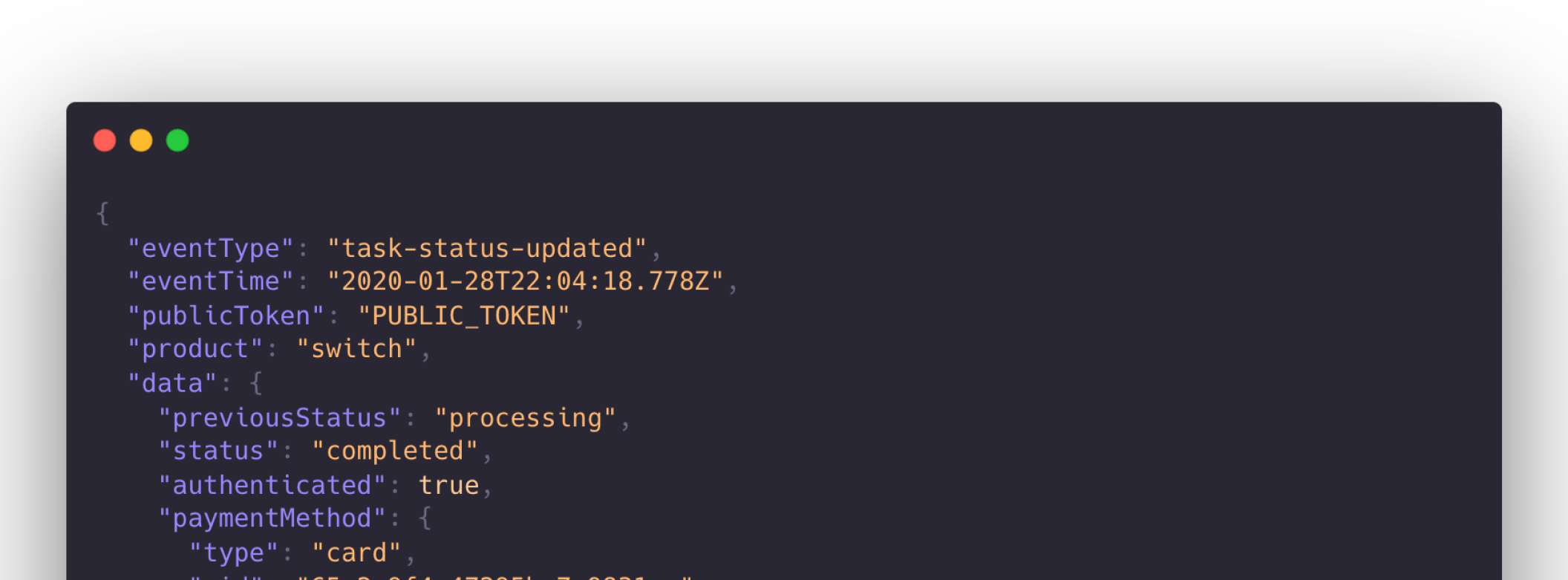
{
  "eventType": "task-status-updated",
  "eventTime": "2020-01-28T22:04:18.778Z",
  "publicToken": "PUBLIC_TOKEN",
  "authenticationMethod": "true-auth",
  "product": "switch",
  "user": {
    "_id": "5d8d3fecbf637ef3b11a877a",
    "identifier": "YOUR_INTERNAL_IDENTIFIER",
    "connected": true
  },
  "company": {
    "_id": "5d9a3fecbf637ef3b11ab442",
    "name": "Netflix",
    "branding": {
      "color": "#e50914",
      "logo": {
        "backgroundColor": "#000000",
        "url": "https://atomicfi-public-production.s3.amazonaws.com/979115f4-34a0-44f5-901e-753a33337444_atomic-logo-dark.png"
      }
    }
  },
  "metadata": {
    "orderId": "123"
  },
  "task": "5e30afde097146a8fc3d5cec",
  "taskWorkflow": "5e30afde097146a8fc3d5ceb",
  "data": {
    "previousStatus": "processing",
    "status": "completed",
    "authenticated": true,
    "paymentMethod": {
      "type": "card",
      "_id": "65c2a9f4a47295ba7a9831ae",
      "title": "Sample Credit Card",
      "expiry": "2029-03-31T23:59:59.999Z",
      "brand": "mastercard",
      "lastFour": "1110"
    }
  }
}
Task status updated
When a task-status-updated event is emitted, this indicates that the state of the Task has changed. For example, the Task has gone from processing to failed or completed. If the status is a final status, either failed or completed, no further updates will occur, although in very rare circumstances a task status patched event may be emitted.
All task-status-updated webhooks will contain the properties listed in both the Event Object and Task Event Object sections. As well as the following properties, where applicable:
authenticatedboolean- Indicates whether or not the Task has successfully authenticated into the target system.
statusenum- The current state of the Task. Options are
processing,failedandcompleted. Failed and completed are final states indicating either a successful or unsuccessful Task. previousStatusenum- The state which the Task was in before the current status. Options are
queuedandprocessing. paymentMethodObjectOptional- Object containing details relating to the type of payment method when updating the card or account on file in the Task for
switchTasks.Child Properties
Required Properties
typeenum- The type of the payment method passed to the service provider. Options are
cardfor credit cards orbankfor ACH accounts. _idstring- Identifier for the specific payment method selected.
titlestring- Title of the credit card or ACH account
Optional Properties
expirydatetimeOptional. Expiration date of the credit card.brandstringOptional. Brand of the credit card.lastFourstringOptional. Last four digits of the credit card.accountNumberstringOptional. Last four digits of the ACH account number.routingNumberstringOptional. Routing number of the ACH account.accountTypeenumOptional. One ofcheckingorsavings.cardStatusenumOptional. Options are currently limited to:frozen.externalIdstringOptional. External ID passed when creating the payment method. reasonenum- Optional. For Tasks that failed, this is the reason why the Task failed. These are enumerated in the Task Failures section.
flowenumOptional- The type of action for
actionTasks. Options areconnect-account,refresh,view-account,cancel-plan,pause-plan,change-plan,switch, orpay-now. metaObjectOptional- Object containing extra information about the Task. This is generally used to provide additional context around a failure.
Child Properties
{
  "eventType": "task-status-updated",
  "eventTime": "2026-10-30T16:30:03.232Z",
  "user": {
    "_id": "602c4d53dc89c40008db562a",
    "identifier": "YOUR_UNIQUE_IDENTIFIER",
    "connected": true
  },
  "publicToken": "09601c31-1b54-4855-12ec-81810de154bd",
  "authenticationMethod": "true-auth",
  "company": {
    "_id": "5d77f9e1070856f3828945c5",
    "name": "Mocky",
    "branding": {
      "logo": {
        "url": "https://cdn.atomicfi.com/mocky-logo.svg"
      }
    }
  },
  "task": "602414d84f9a1980cf5eafcc",
  "taskWorkflow": "5e30afde097146a8fc3d5ceb",
  "product": "switch",
  "data": {
    "authenticated": true,
    "previousStatus": "processing",
    "status": "completed",
    "paymentMethod": {
      "type": "card",
      "_id": "65c2a9f4a47295ba7a9831ae",
      "title": "Sample Credit Card",
      "expiry": "2031-03-31T23:59:59.999Z",
      "brand": "mastercard",
      "lastFour": "1110"
    }
  }
}{
"eventType": "task-authentication-status-updated",
"eventTime": "2026-10-30T16:30:03.234Z",
"user": {
"_id": "602c4d53dc89c40008db562a",
"identifier": "YOUR_UNIQUE_IDENTIFIER",
"connected": true
},
"publicToken": "09601c31-1b54-4855-12ec-81810de154bd",
"authenticationMethod": "true-auth",
"company": {
"_id": "5d77f9e1070856f3828945c5",
"name": "Mocky",
"branding": {
"logo": {
"url": "https://cdn.atomicfi.com/mocky-logo.svg"
}
}
},
"task": "602414d84f9a1980cf5eafcc",
"taskWorkflow": "5e30afde097146a8fc3d5ceb",
"product": "switch",
"data": {
"authenticated": true
}
}Task status patched
When eventType is task-status-patched, the final status of a Task was updated. Cases where this may occur are rare and are generally associated with an audit or bug fix within our system. Possible statuses include:
authenticatedboolean- Indicates whether or not the Task has successfully authenticated into the target system.
statusenum- The current state of the Task. Options are
processing,failedandcompleted. Failed and completed are final states indicating either a successful or unsuccessful Task. previousStatusenum- The state which the Task was in before the current status. Options are
queuedandprocessing. paymentMethodObjectOptional- Object containing details relating to they type of payment method when updating the card or account on file in the Task for
switchTasks.Child Properties
Required Properties
typeenum- For PayLink Tasks, the type of the payment method passed to the service provider. Options are
cardfor credit cards orbankfor ACH accounts. _idstring- Identifier for the specific payment method selected.
titlestring- Title of the credit card or ACH account
Optional Properties
expirydatetimeOptional. Expiration date of the credit card.brandstringOptional. Brand of the credit card.lastFourstringOptional. Last four digits of the credit card.accountNumberstringOptional. Last four digits of the ACH account number.routingNumberstringOptional. Routing number of the ACH account.accountTypeenumOptional. One ofcheckingorsavings.cardStatusenumOptional. Options are currently limited to:frozen.externalIdstringOptional. External ID passed when creating the payment method.
{
  "eventType": "task-status-patched",
  "eventTime": "2026-10-30T16:30:03.236Z",
  "user": {
    "_id": "602c4d53dc89c40008db562a",
    "identifier": "YOUR_UNIQUE_IDENTIFIER",
    "connected": true
  },
  "publicToken": "09601c31-1b54-4855-12ec-81810de154bd",
  "authenticationMethod": "true-auth",
  "company": {
    "_id": "5d77f9e1070856f3828945c5",
    "name": "Mocky",
    "branding": {
      "logo": {
        "url": "https://cdn.atomicfi.com/mocky-logo.svg"
      }
    }
  },
  "task": "602414d84f9a1980cf5eafcc",
  "taskWorkflow": "5e30afde097146a8fc3d5ceb",
  "product": "switch",
  "data": {
    "authenticated": true,
    "previousStatus": "failed",
    "status": "completed",
    "paymentMethod": {
      "type": "card",
      "_id": "65c2a9f4a47295ba7a9831ae",
      "title": "Sample Credit Card",
      "expiry": "2029-03-31T23:59:59.999Z",
      "brand": "mastercard",
      "lastFour": "1110"
    }
  }
}
Task failures
Tasks may fail for many different reasons. If a Task fails, we will include a reason property with the event's data object. Possible values include:
auth-expired- The user's session with the merchant is no longer valid, typically because it was logged out before the task ran. The task can succeed after the user reauthenticates.
connection-error- We were unable to reach the merchant. Either the request could not be sent, or the connection failed before any response was received.
device-disconnected- The device used to start the task is no longer connected.
action-failed- The automation ran without errors, but we could not confirm that the requested change was applied. Either the merchant reported that it did not succeed without a cause we can map to a more specific reason, or a follow-up check showed the change was not in place. A
refreshaction resyncs the account to the merchant's latest state, after which the task can be retried. plan-selection-required- The subscription to act on could not be determined. Either no plan was specified and the account has more than one, or the merchant requires a specific plan to be named. Refresh the account to retrieve its current plans, then re-issue the task against the selected plan.
product-not-supported- The merchant does not permit this task for this account or plan. For example, the subscription belongs to another member of a family or shared plan.
subscription-inactive- The subscription is not active. Where the task was applying a change, that change cannot be made — for example, pausing a subscription that has already been cancelled.
subscription-managed-by-partner-provider- The subscription is managed by a partner provider rather than by the merchant directly. Changes must be made with the partner provider, either through their portal or by starting a task against them.
subscription-not-found- No matching subscription was found on the account. Either the account holds none at all, or the specific subscription requested is no longer present — its identifier may have changed if it was cancelled and reactivated outside Atomic, in which case retrying after the account is refreshed can succeed. A subscription that exists but is inactive returns
subscription-inactiveinstead. payment-method-locked- The payment method selected is currently locked in the merchant's system. The user will need to try again after the lockout has ended.
payment-method-not-supported- The payment method selected is not available to be used for the selected merchant. Another payment method will need to be used.
payment-method-insufficient-funds- The selected payment method lacks sufficient funds when the merchant attempts a pre-authorization or prenote transaction.
payment-method-limit-reached- The maximum number of payment methods has been reached for the merchant. The user will need to remove an existing payment method before adding a new one.
payment-method-declined- During the pre-authorization or prenote transaction, the payment method was declined by the merchant.
user-abandon- The user did not complete a step the task required of them. When the task cannot validate the user's existing session with the merchant, the user is prompted to sign in again; this reason is returned when that re-authentication is not completed.
payment-token-expired- The credit card token has expired. Tokens automatically expire 24 hours after creation. Although token recreation is typically handled automatically, this error may occur if the process fails.
payment-switch-unsuccessful- The payment switch was unsuccessful. We are uncertain as to the nature of the failure reason, but are unable to switch this user's payment method with this merchant at this time.
system-unavailable- The merchant was unavailable when the task ran, for example because the site is undergoing maintenance. The task can be retried later.
unexpected-response- The merchant's response was not one we could interpret. This can follow a change in the merchant's behavior, or an account or user type we have not encountered before. Atomic may need to update its integration with the merchant.
unknown-failure- The task failed for a reason we could not classify. This is the fallback when a failure does not match any other reason, most often an edge case that has not been encountered before.
For the reasons a cancel can fail with and what to do next, see Handle Cancellation Results.
{
  "eventType": "task-status-updated",
  "eventTime": "2026-10-30T16:30:03.239Z",
  "user": {
    "_id": "602c4d53dc89c40008db562a",
    "identifier": "YOUR_UNIQUE_IDENTIFIER",
    "connected": true
  },
  "publicToken": "09601c31-1b54-4855-12ec-81810de154bd",
  "authenticationMethod": "true-auth",
  "company": {
    "_id": "5d77f9e1070856f3828945c5",
    "name": "Mocky",
    "branding": {
      "logo": {
        "url": "https://cdn.atomicfi.com/mocky-logo.svg"
      }
    }
  },
  "task": "602414d84f9a1980cf5eafcc",
  "taskWorkflow": "5e30afde097146a8fc3d5ceb",
  "product": "switch",
  "data": {
    "authenticated": true,
    "previousStatus": "processing",
    "status": "failed",
    "reason": "subscription-inactive",
    "paymentMethod": {
      "type": "card",
      "_id": "65c2a9f4a47295ba7a9831ae",
      "title": "Sample Credit Card",
      "expiry": "2031-03-31T23:59:59.999Z",
      "brand": "mastercard",
      "lastFour": "1110"
    }
  }
}
Company
A Company represents a 3rd party system that a user has an account with, such as a merchant or service provider. When a Company is created, updated, deleted, or changes operational status, you can receive webhook notifications to track the company lifecycle.
For created and updated events, use the Company Details API with the affected company ID to retrieve the full company record.
{
  "eventType": "company-created",
  "eventTime": "2026-10-30T16:30:03.242Z",
  "data": {
    "companyId": "607721d4283e411c6e756501"
  }
}{
"eventType": "company-updated",
"eventTime": "2026-10-30T16:30:03.242Z",
"data": {
"companyId": "607721d4283e411c6e756501"
}
}{
"eventType": "company-deleted",
"eventTime": "2026-10-30T16:30:03.243Z",
"data": {
"companyId": "607721d4283e411c6e756501"
}
}{
"eventType": "maintenance-mode",
"eventTime": "2026-10-30T16:30:03.244Z",
"data": {
"companyId": "5d77f9e1070856f3828945c5",
"status": "maintenance",
"products": [
"switch",
"deposit"
]
}
}statusenum- Status will be
maintenancewhen the company is unavailable, andoperationalwhen a company has been re-enabled. products[String]- The list of products that maintenance mode has been enabled for. This array will be empty when
statusisoperational. companyIdstring- The unique identifier for the company that has been updated.
Accounts
An Account refers to user's data in the 3rd party system, referred to as a Company within the Atomic context. It contains information such as the associated bills and orders, as well as, branding, suggestions, and actions.
Accounts Updated
When eventType is pay-link-accounts-updated, a change has occurred on one or many accounts for a user. We recommend using this event to trigger updates to your store or initiate client-side state updates.
In addition to the standard event properties, the data property includes the following:
accounts[Object]- An array of account objects that have changed for the user.
Child Properties
Optional Properties
_idstringThe id of the account in Atomic's system.updateTypeenumThe type of update which occurred on the account. One ofcreated,updated,deleted,processingordisconnected.bills[Object]The bills associated with the account. This is always present, but will be an empty array when the account has no bills yet, such as when theupdateTypeiscreated.Child Properties
Optional Properties
_idstringThe id of the bill in Atomic's system.changedFields[string]OptionalPresent when the account'supdateTypeisupdated. An array of the fields on the bill which have been identified as changed since the last data pull. Each entry is one ofamount,autopayStatus,billingCycle,dueDate,items,name,paymentHistory,paymentMethod,plans,profilesorusage.
The lifecycle of the update is as follows:
created: Indicates an account has been initialized in the Atomic system.processing: The account is in the process of being synced to Atomic.updated: The account has been successfully synced to Atomic and is ready for retrieval.disconnected: An account which was previously connected, is no longer in a state where Atomic can continue to receive updates and will need to be reconnected by the user. The session with the company expired or was revoked; a refresh will not recover it. Launch Transact for the same company so the user can sign in again. See the account lifecycle.deleted: The account has been fully deleted from the Atomic system.
{
  "eventType": "pay-link-accounts-updated",
  "eventTime": "2026-09-03T22:02:29.108Z",
  "user": {
    "_id": "602c4d53dc89c40008db562a",
    "identifier": "YOUR_UNIQUE_IDENTIFIER",
    "connected": true
  },
  "data": {
    "accounts": [
      {
        "_id": "67376c5befe988922e8aabc4",
        "updateType": "updated",
        "bills": [
          {
            "_id": "67376c5befe988922e8ab1f2",
            "changedFields": [
              "amount",
              "dueDate"
            ]
          }
        ]
      },
      {
        "_id": "67376c5befe988922e8aef05",
        "updateType": "created",
        "bills": []
      }
    ]
  }
}
PII Data Deleted
To fulfill the services Atomic provides, certain sensitive information, such as account details or identity information, is required during processing. Atomic securely deletes this data on predetermined cadences. For details on your organization’s specific data retention policies, please speak with your Customer Success Manager (CSM).
PII Data Deleted
When a webhook with eventType: "pii-data-deleted" is received, it indicates that the corresponding user's PII has been deleted from the Atomic system.
You can subscribe to this event in the Atomic Console by registering your endpoint for the pii-data-deleted webhook.
{
  "eventType": "pii-data-deleted",
  "eventTime": "2026-10-30T16:30:03.248Z",
  "user": {
    "_id": "602c4d53dc89c40008db562a",
    "identifier": "YOUR_UNIQUE_IDENTIFIER",
    "connected": true
  },
  "task": "607721d4283e411c6e756501"
}